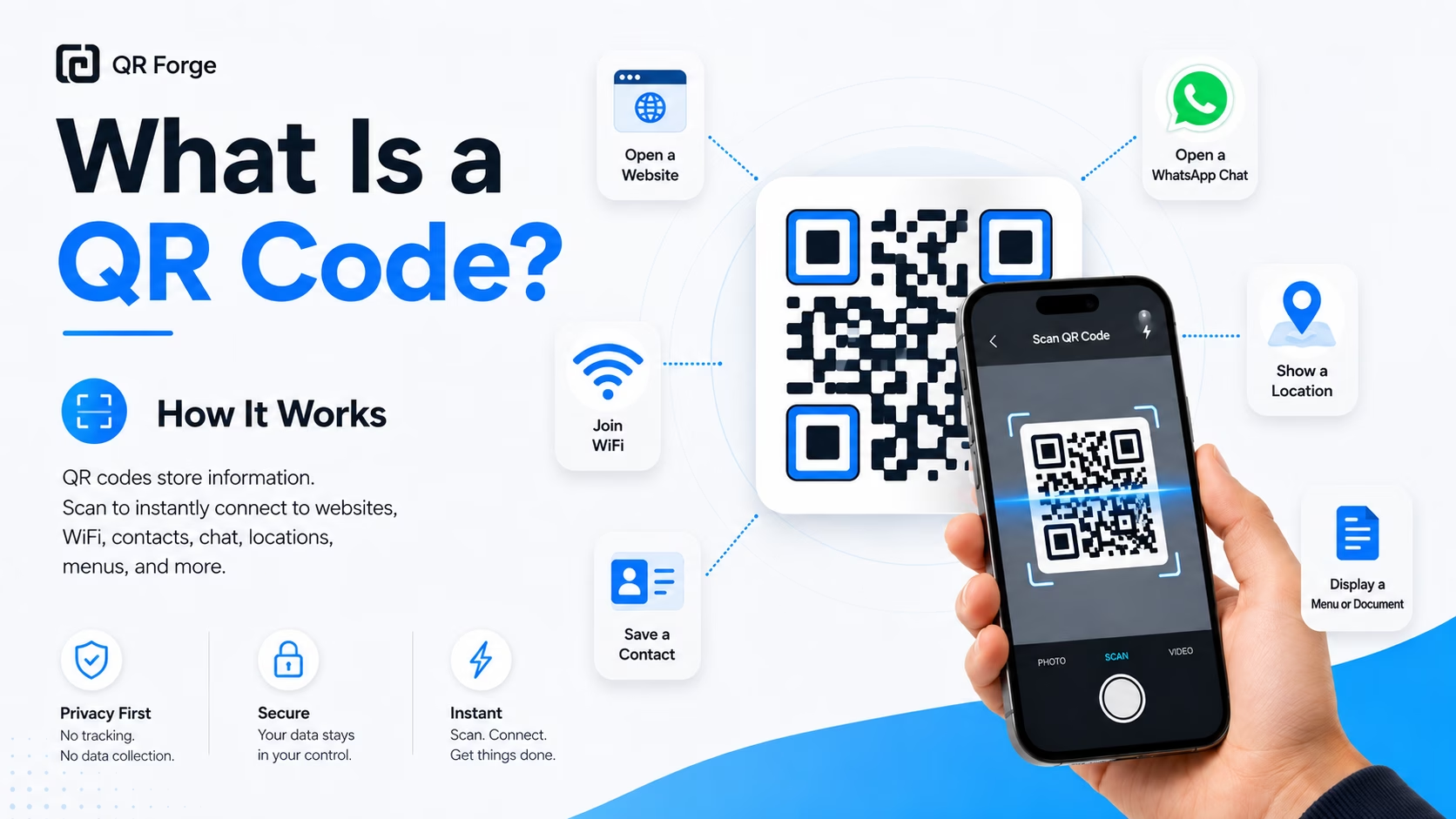
QR codes are everywhere: restaurant menus, product packaging, posters, event tickets, business cards, WiFi signs, and payment pages. They look like simple square patterns, but they solve a very practical problem: they let people open information quickly without typing anything manually.
Instead of asking someone to enter a long URL, WiFi password, address, or contact detail, you can encode that information in a QR code. A compatible scanner decodes the pattern and may offer an action based on its contents.
This guide explains what a QR code is, how it works, what it can store, and when it is useful.
Create your first QR code
Generate a simple static QR code for a website, text, WiFi, contact card, and more.
What is a QR code?
A QR code is a two-dimensional code that stores data in a grid of dark and light squares. A phone camera or QR scanner can read that pattern and turn it into an action.
That action might be:
- opening a website
- joining a WiFi network
- saving contact details
- opening a WhatsApp chat
- displaying plain text
- starting an email draft
- opening a map location
- linking to a digital menu or PDF
QR codes are useful because they connect offline and online experiences. A printed flyer can open a landing page. A business card can save a contact. A table sign can open a restaurant menu. A product label can open instructions or support information.
What does QR code mean?
QR stands for Quick Response.
The name describes the main purpose of the format: fast scanning. A QR code is designed to be read quickly from different angles, even when printed or displayed on a screen.
Unlike a traditional barcode, which stores information in one direction, a QR code stores information both horizontally and vertically. This is why QR codes can hold more data than regular barcodes.
How does a QR code work?
A QR code works by converting data into a visual pattern.
For example, if you create a QR code for a website URL, the generator takes the URL and encodes it into a grid of small squares. When someone scans the code, their device reads the pattern, decodes the data, and opens the URL.
The basic flow is simple:
- You enter information, such as a URL or text.
- The QR code generator converts that information into a QR pattern.
- You download, print, or display the QR code.
- Someone scans it with a phone.
- The phone reads the pattern and performs the correct action.
The QR code itself is not a tracking system or a database. It is a visual way to store and transfer information.
The main parts of a QR code
A QR code may look random, but it has a structure that helps scanners read it correctly.
Finder patterns
The three large squares in the corners help the scanner detect the QR code. They tell the camera where the code is located and how it is rotated.
Without these markers, a scanner would have a much harder time identifying the QR code from a photo, poster, package, or screen.
Data area
The smaller squares inside the QR code store the actual encoded information. This is where the URL, text, WiFi details, contact card, or other data is represented.
A longer piece of data usually creates a denser QR code. That is why short, clean URLs are often easier to scan than very long URLs.
Quiet zone
The quiet zone is the empty margin around the QR code. It separates the code from nearby text, graphics, borders, or background elements.
Do not place text, icons, borders, or decorative graphics too close to a QR code. A missing quiet zone is one of the most common reasons a QR code fails to scan.
Error correction
QR codes include error correction. This helps the code remain scannable even if a small part is damaged, dirty, or visually changed.
Error correction is useful for printed materials because real-world conditions are not perfect. Paper can bend, ink can fade, lighting can be poor, and surfaces can be reflective.
However, error correction has limits. A QR code can still fail if it is too small, blurry, low contrast, badly cropped, or heavily modified.
What can a QR code store?
A QR code can store many types of information. The most common use is a website link, but QR codes can do more than open URLs.
Common QR code types include:
- URL QR code — opens a website, landing page, menu, form, or file link
- Text QR code — displays plain text after scanning
- WiFi QR code — helps users connect to a WiFi network
- vCard QR code — saves contact details to a phone
- Email QR code — opens an email draft
- Phone QR code — starts a phone call action
- SMS QR code — opens a text message draft
- Location QR code — opens a map location
- WhatsApp QR code — opens a WhatsApp chat
- PDF QR code — opens a link to an online PDF
The best QR code type depends on what you want the scanner to do. If you want someone to visit a website, use a URL QR code. If you want guests to join WiFi, use a WiFi QR code. If you want people to save your contact details, use a vCard QR code.
Static vs dynamic QR codes
There are two common categories of QR codes: static QR codes and dynamic QR codes.
A static QR code stores the final data directly inside the QR code. If you create a static QR code for a website URL, that URL is encoded into the code itself.
A dynamic QR code usually stores a redirect link. When someone scans it, the scan goes through a server first, then redirects to the final destination.
Static QR codes are useful when you want:
- a simple QR code
- no login requirement
- no scan tracking
- no third-party redirect
- no backend dependency
- a privacy-friendly workflow
Dynamic QR codes are useful when you need:
- editable destinations
- scan analytics
- campaign tracking
- redirect management
- advanced reporting
Neither type is automatically better for every use case. Static QR codes are better for simple, permanent, privacy-friendly use. Dynamic QR codes are better when editing and analytics are required.
QR Forge focuses on static QR code generation because it is simple, fast, and privacy-first.
Do QR codes expire?
A static QR code does not expire by itself.
If a QR code stores plain text, WiFi details, or contact information, it can continue working as long as the data is still useful and the image remains scannable.
However, a QR code can appear to stop working when the destination changes. For example, if your QR code opens a website and that page is deleted, moved, or renamed, the QR code may lead to a broken page.
In that case, the QR code pattern still works, but the destination behind it no longer does.
Are QR codes safe?
QR codes are generally safe as a format. The risk depends on what the QR code opens and how the QR code was created.
A QR code can open a trusted website, but it can also open a suspicious link. This is why users should be careful when scanning unknown QR codes in public places.
For creators, the generator also matters. Some QR code generators may require login, store submitted data, use redirect links, track scans, or place generated codes behind paid plans.
A privacy-friendly QR code generator should be clear about what it does with your data. Read how to assess QR code generator safety for privacy and verification checks.
QR Forge is built around client-side QR generation. That means your QR code is generated in your browser without requiring login, backend storage, watermark, or tracking.
Common uses of QR codes
QR codes are popular because they reduce friction. They help people move from a physical object or screen to a digital action quickly.
Website links
A URL QR code can open a website, landing page, signup form, portfolio, product page, campaign page, or social profile.
This is the most common type of QR code because almost any online destination can be turned into a QR code.
WiFi access
A WiFi QR code lets guests connect to a network without typing the password manually. This is useful for homes, cafes, hotels, offices, coworking spaces, and events.
Contact sharing
A vCard QR code can store contact information such as name, phone number, email, organization, website, and address.
This is useful for business cards, networking events, conferences, and professional profiles.
Restaurant menus
Restaurants and cafes use QR codes to open digital menus. This makes the menu easier to update and reduces the need for printed copies.
Business cards
A QR code on a business card can link to a website, digital portfolio, contact card, booking page, WhatsApp chat, or online profile.
Posters and flyers
QR codes on posters and flyers can help people register for events, visit campaign pages, claim offers, download apps, or learn more about a product or service.
How to create a QR code
Creating a QR code is straightforward:
- Choose the QR code type you need.
- Enter the data, such as a URL, text, WiFi details, or contact information.
- Generate the QR code.
- Download the image.
- Test it with a phone before printing or sharing.
For best results, keep the QR code clear, high contrast, and large enough to scan.
If you plan to print the QR code, test it at the final printed size before producing many copies.
Beginner best practices
A QR code is easy to create, but small mistakes can make it harder to scan. Follow these basic rules.
Use a clear destination
If your QR code opens a website, make sure the page is active, mobile-friendly, and relevant to the user.
Do not send people to a confusing homepage if they expect a menu, form, product page, or contact page.
Keep strong contrast
A dark foreground on a light background is the safest choice. Black on white is the most reliable combination.
Colored QR codes can work, but only when the contrast remains strong.
Preserve the quiet zone
Leave enough empty space around the QR code. Do not place it too close to text, images, borders, or page edges.
Do not make it too small
Small QR codes are harder to scan, especially on printed materials. Business cards, flyers, posters, and packaging all need different sizing.
Test before publishing
Always scan the QR code before using it in public. Test it on more than one device if possible.
For printed materials, print a test copy and scan the physical version, not only the image on your screen.
QR codes are simple, but details matter
A QR code is a simple bridge between offline and online experiences. It can open a website, share WiFi access, save contact details, launch a chat, or guide users to important information.
For most basic use cases, a static QR code is enough. It is simple, fast, free to create, and does not require a tracking system or account-based platform.
The most important thing is to create the right type of QR code, keep it easy to scan, and test it before sharing or printing.
Create a free QR code with QR Forge
Generate QR codes for URLs, text, WiFi, contact cards, WhatsApp, and more in your browser. No login or watermark; QR generation does not require a QR Forge backend.