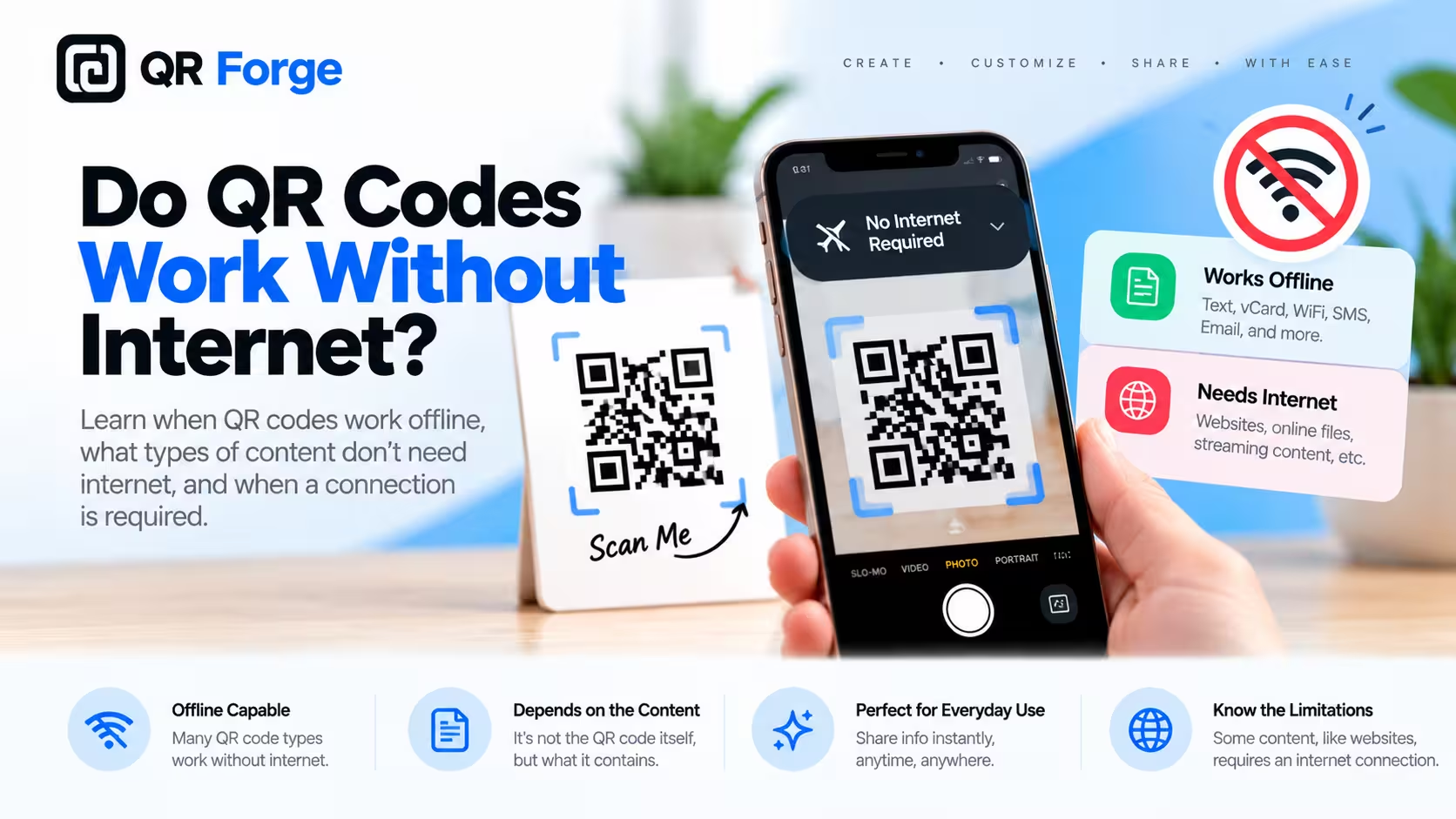
Yes — QR codes can work without internet.
The key is separating scanning the QR code from using the destination encoded inside it.
A phone can usually read and decode a QR code without an internet connection. If the code contains plain text, WiFi credentials, or contact information, that data may be useful immediately while offline.
If the QR code contains a website URL, cloud document, social profile, or another online destination, the scan can still succeed while the destination fails to load until internet access is available.
Create an offline text QR code
Encode plain text directly into a QR code that can be read without opening a website.
Do QR codes need internet?
Not for the basic scanning process.
The QR code contains data
A QR code is a visual representation of encoded information.
The scanner reads the pattern directly from the image.
The phone decodes it locally
A compatible camera or QR scanner can interpret the modules and reconstruct the encoded content on the device.
Internet is only needed when the action needs it
A website QR code requires internet because the browser must contact a server.
A plain text QR code does not.
Scanning a QR code and opening its destination are two separate steps. The scan can work offline even when the destination itself requires internet.
What happens when you scan a QR code offline?
The phone first reads the QR pattern, decodes the content, and then decides which action to offer.
Depending on the payload, the device may show:
- plain text
- a website link
- WiFi network details
- contact information
- a phone number
- an email action
Only the final action determines whether internet access is required.
Which QR codes work completely offline?
Some QR code types can provide useful information without connectivity.
Plain text QR codes
Plain text is stored directly inside the QR code.
For example:
Meeting Room B
Access code: 4812
This can be read without contacting a server.
Useful offline text QR codes include short instructions, asset IDs, reference numbers, serial codes, and emergency notes.
WiFi QR codes
A WiFi QR code can contain:
- network name
- password
- security type
- hidden network setting
The phone can scan the code and use the credentials to join the network without mobile data.
The WiFi network itself may still have no internet access.
vCard and contact QR codes
Contact data can also be stored directly.
A vCard may contain a name, phone number, email, company, job title, and other supported fields.
Basic contact data can be decoded offline, although opening a website inside the contact still requires internet.
Phone, SMS, and email QR codes
The phone can decode these payloads offline.
Actually placing a call, sending an SMS, or sending an email depends on the relevant cellular or internet connection.
Which QR codes need internet after scanning?
Any QR code that points to an online resource needs connectivity to use that resource.
Website QR codes
A URL such as:
https://example.com
can be recognized offline, but the page cannot normally load without internet.
Social media QR codes
Instagram, LinkedIn, YouTube, TikTok, and other social destinations require internet.
WhatsApp QR codes
The WhatsApp link can be decoded offline, but the app needs internet to connect and send messages.
Cloud documents
Google Drive files, hosted PDFs, cloud images, and other online resources require internet to load.
Online menus
A restaurant menu QR code usually stores only a website URL.
The scan works offline, but viewing the menu requires connectivity.
Static vs dynamic QR codes offline
Static and dynamic QR codes behave differently when connectivity is limited.
Static QR code
A static QR code stores the final data directly.
If that data is useful offline, the QR code can be useful offline too.
Dynamic QR code
A dynamic QR code typically stores a provider-managed redirect.
The flow looks like:
Scan
-> provider redirect
-> final destination
The redirect itself requires internet.
For the broader comparison, see static vs dynamic QR codes.
Can QR codes work in airplane mode?
Yes, depending on the payload.
Plain text
Works because the text is encoded directly.
Contact data
Basic fields can still be decoded.
WiFi QR codes
You may need to manually enable WiFi while airplane mode remains on, depending on the device.
Website URLs
The phone can recognize the URL, but it cannot load the page without connectivity.
Can QR codes be scanned where there is no signal?
Yes.
Cellular signal is not required to photograph and decode a QR code.
This can matter in:
- basements
- warehouses
- rural areas
- underground facilities
- event halls
- buildings with weak reception
If users may be offline, choose a payload that still provides useful information without requiring a server.
Can a QR code store a webpage offline?
Not practically.
A normal webpage contains far more data than a QR code can hold.
It may include HTML, CSS, JavaScript, images, fonts, and media.
The practical approach is to store the webpage URL in the QR code.
Read how much data can a QR code store for QR capacity details.
Can a QR code store a PDF offline?
A normal PDF is generally too large to fit inside a QR code.
A PDF QR code normally contains a link to where the document is hosted.
That means internet is required to download or open the file unless it is already available locally on the device.
Can a QR code store an image offline?
A useful image file is also typically much larger than QR capacity.
The usual solution is to link to an online image or webpage, which then requires internet access.
Offline QR codes for events
Events may have unreliable mobile connectivity.
Use text for critical information
A text QR code can contain a room number, short schedule, access instruction, or reference code.
Use WiFi QR codes
Help attendees join event WiFi quickly.
Keep critical information visible
Do not hide essential instructions only inside a QR code.
Offline QR codes for warehouses
Warehouses often have areas with weak reception.
Plain text QR codes can encode:
- asset IDs
- bin numbers
- shelf references
- short instructions
A dedicated application can also scan IDs offline and synchronize later if it was designed for that workflow.
Offline QR codes for travel
Travelers may have limited connectivity.
Good offline payloads include:
- short instructions
- contact details
- booking references
- important identifiers
For critical information, provide visible text as a fallback.
Does the QR scanner app need internet?
Usually not for basic decoding.
Modern smartphone cameras often recognize QR codes locally.
Some third-party scanner apps may use online features, ads, history sync, or analytics, but the basic QR decoding process does not inherently require internet.
Does QR Forge require internet to generate a QR code?
QR Forge is designed around client-side generation for supported basic tools.
Browser-based generation
The QR pattern is generated in the browser.
Initial website access
You normally need internet to load the QR Forge website and application assets.
Generation itself is local
Basic QR payloads do not need to be sent to a backend just to generate the pattern.
Downloaded static QR codes are independent
Once the QR image exists, it does not need QR Forge to remain readable.
How to create a QR code for offline use
Step 1: Choose offline-friendly data
Good options include:
- text
- WiFi credentials
- contact information
- phone number
- short instructions
Step 2: Keep it concise
Shorter payloads create cleaner QR patterns.
Step 3: Use a static QR code
Avoid a provider redirect when offline access is the goal.
Step 4: Download the QR code
Use a clean image format appropriate for your material.
Step 5: Test offline
Disable connectivity and scan the final version.
How to test whether a QR code works offline
Disable mobile data and WiFi
Create a real offline condition.
Scan the QR code
Check whether the device recognizes the payload.
Test the next action
Does the user receive what they need without connectivity?
Separate scan success from destination failure
If the URL appears but the page does not load, the QR code worked. The destination simply requires internet.
Common offline QR code mistakes
Assuming every QR code needs internet
Basic scanning does not.
Assuming every static QR code is fully offline
A static website URL still points to an online page.
Using dynamic redirects for offline information
A provider redirect introduces an internet dependency.
Putting too much text in the code
Very long text creates a dense QR code.
Not testing offline
The only reliable way to confirm the workflow is to test it without connectivity.
QR code offline checklist
Before publishing an offline-oriented QR code, confirm:
- useful data is stored directly
- the payload is concise
- no unnecessary redirect is involved
- online dependencies are understood
- QR size is sufficient
- contrast is strong
- quiet zone is preserved
- final print is tested
- scan works with mobile data off
- scan works with WiFi off when appropriate
Do QR codes work without internet? Final answer
Yes.
A QR code can be scanned and decoded without an internet connection because the encoded data is stored in the QR pattern itself.
Whether the full experience works offline depends on what the code contains.
Plain text, WiFi credentials, and some contact information can provide useful offline data. Website links, social profiles, WhatsApp links, cloud files, and other online destinations still require internet after scanning.
The simplest rule is:
Scanning can be offline.
Online destinations still need internet.
Create an offline-friendly QR code
Generate a static QR code for text, WiFi, contact information, and more without login or watermark.