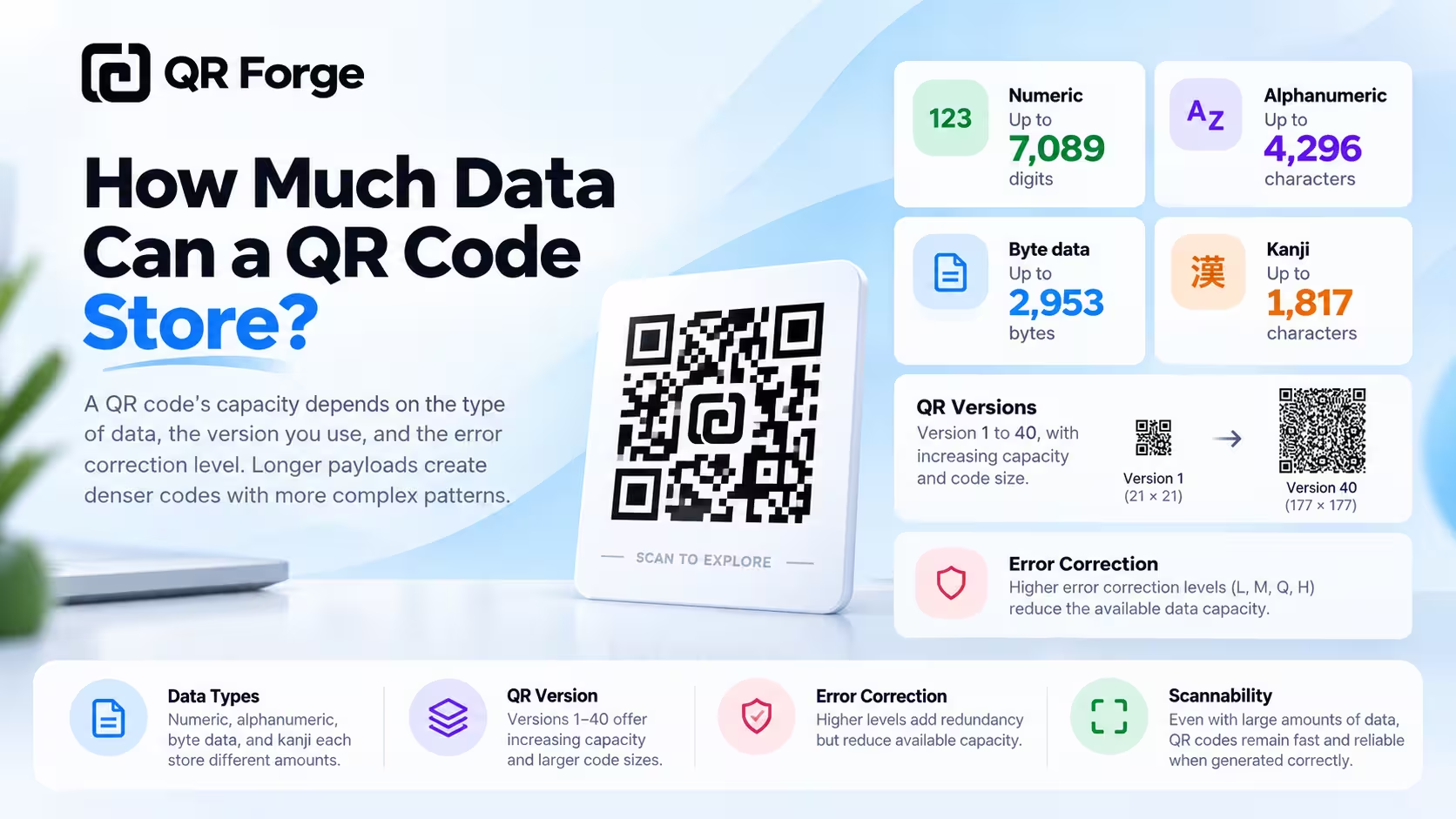
A QR code can hold much more information than a traditional one-dimensional barcode, but it is not unlimited.
The maximum capacity depends on several things: what kind of data you encode, which QR version is used, and which error correction level is selected.
Under ideal conditions, a standard QR code can store thousands of characters. In real-world use, however, shorter payloads usually produce cleaner QR patterns that are easier to print and scan.
Create a text QR code
Turn plain text into a QR code and see how payload length affects the pattern.
How much data can a QR code store?
A standard QR code can store different amounts of data depending on the encoding mode.
At the largest standard QR version and lowest error correction level, approximate maximum capacities are:
| Data type | Maximum capacity |
|---|---|
| Numeric | 7,089 digits |
| Alphanumeric | 4,296 characters |
| Byte data | 2,953 bytes |
| Kanji | 1,817 characters |
These are theoretical maximums for specific encoding conditions.
Real-world capacity is usually lower
Most QR codes do not operate at the absolute maximum.
Capacity can be reduced by:
- higher error correction
- Unicode characters
- long URLs
- formatting overhead
- structured data
- larger vCard payloads
- long WiFi passwords
- long pre-filled messages
Maximum QR capacity is a technical ceiling, not a design target. In practice, shorter payloads usually create cleaner and more reliable QR codes.
Why QR code capacity is not one fixed number
There is no single universal character limit.
Different characters use different space
A string of numbers can be encoded more efficiently than arbitrary text.
Encoding mode matters
QR codes support multiple data modes, and each mode uses capacity differently.
QR code numeric capacity
Numeric mode is the most space-efficient standard QR mode.
Maximum capacity
At the theoretical maximum, a standard QR code can hold up to 7,089 numeric digits.
Typical uses
Numeric encoding can be useful for identifiers, reference numbers, ticket numbers, and numeric codes.
QR code alphanumeric capacity
Alphanumeric mode supports uppercase letters, numbers, spaces, and selected symbols.
Maximum capacity
A QR code can theoretically hold up to 4,296 alphanumeric characters under maximum-capacity conditions.
Why it holds less than numeric mode
Letters and symbols require more bits to encode than groups of digits.
QR code byte-mode capacity
Byte mode is one of the most relevant modes for modern QR usage.
What byte mode handles
It can represent general text and data, including many URLs and encoded strings.
Maximum capacity
The theoretical maximum is about 2,953 bytes.
Characters are not the same as bytes
A character may use one or multiple bytes depending on its encoding.
Unicode and QR code capacity
Unicode text can use more than one byte per character.
ASCII text
Common English letters and numbers are relatively compact.
Non-ASCII characters
Characters from many languages, emoji, and special symbols may require multiple bytes in UTF-8.
Practical effect
Two text strings with the same visible character count can produce QR codes with different density.
Kanji mode capacity
QR codes also define a special Kanji encoding mode.
Maximum capacity
At the theoretical maximum, a QR code can hold around 1,817 Kanji characters.
What is a QR code version?
QR codes come in versions from Version 1 to Version 40.
Version 1
Version 1 contains:
21 × 21 modules
Version 40
Version 40 contains:
177 × 177 modules
More modules mean more capacity
A larger version has more room for payload data, error correction, and structural information.
Does more data make a QR code bigger?
Digitally, yes in terms of module count.
Physically, it depends on how you display or print it.
More data may trigger a higher version
When the payload no longer fits in a smaller version, the generator increases the QR version.
Same physical size means smaller modules
If you squeeze a denser QR code into the same physical area, each module becomes smaller and harder to reproduce cleanly.
QR capacity and error correction
Error correction directly affects usable capacity.
QR codes support four levels: L, M, Q, and H.
Higher correction uses more capacity
More recovery data leaves less room for your payload.
Practical trade-off
You are balancing:
Payload capacity
vs
Damage recovery
Read what is QR code error correction for a deeper explanation.
Why long URLs create dense QR codes
URLs are a common reason QR codes become unexpectedly complex.
Simple URL
https://example.com
is relatively compact.
Tracking-heavy URL
A long URL with many tracking parameters contains much more data.
Dense codes need more physical space
If you must use a long URL, avoid printing the QR code too small.
Should you shorten a URL before creating a QR code?
Sometimes, but consider the trade-offs.
Shorter payload
A shorter URL can produce a less dense QR code.
Third-party shorteners add dependency
If you use a public URL-shortening service, the QR code depends on that redirect continuing to work.
Your own short path can be better
If you control a domain, use a concise, stable path.
How much text should you put in a QR code?
You can store substantial plain text, but that does not mean you should.
Short text works well
Examples include short instructions, serial numbers, reference codes, and short messages.
Long text creates density
Large text payloads create more detailed QR patterns.
Consider a webpage for long content
If the content is long, a URL may provide a better experience.
Can a QR code store an entire document?
Usually no.
PDFs are too large
Even small PDFs are generally far beyond QR code capacity.
Images are too large
Typical image files are also much larger than the available byte capacity.
Better approach
Host the file somewhere appropriate and encode its URL instead.
Can a QR code store an image?
Not a normal image file of useful size.
Base64 makes it worse
Encoding image data as text typically increases the payload size.
Link instead
A URL to an image or image page is the practical solution.
How much data does a WiFi QR code use?
WiFi QR codes are normally compact.
Typical data
They can include the network name, password, security type, and hidden-network setting.
Long passwords increase density
Very long credentials add more data, but normal home and guest WiFi payloads are usually manageable.
How much data does a vCard QR code use?
vCards can become relatively large because they contain multiple fields.
Common fields
A vCard may include name, company, job title, phone, email, website, and address.
Keep only useful information
More fields increase density and may also expose unnecessary personal information.
Read how to create a vCard QR code for practical guidance.
How much data does a WhatsApp QR code use?
A WhatsApp QR code usually contains a phone number and possibly a pre-filled message.
Long messages increase density
Long pre-filled messages make the encoded URL larger.
Keep messages concise
Shorter messages are easier for users and help keep the QR pattern simpler.
QR code capacity vs scan reliability
A QR code can technically fit a payload but still be difficult to use.
Technical validity is not enough
Maximum-capacity QR codes contain many modules.
Physical reproduction becomes harder
At small print sizes, tiny modules may blur together or become difficult for cameras to resolve.
Increase printed size
Dense QR codes generally need more physical space.
QR capacity and print size
Payload length and print size are connected.
Simple QR code
A short URL may remain easy to scan at a compact size.
Dense QR code
A long vCard or URL may require a larger matrix.
For practical sizing, read the QR code size guide.
QR capacity and quiet zone
The quiet zone does not store payload data, but it is essential for recognition.
Do not crop it to gain space
Removing the margin does not increase payload capacity. It only makes the code harder to detect.
QR capacity and logos
A logo can obscure part of the QR pattern.
Error correction may compensate
Higher error correction can provide some recovery margin.
But higher correction reduces payload capacity
This can make a large payload even denser.
Avoid stacking risks
Long payload + high correction + large logo + small print size is a poor combination.
Can two QR codes with the same URL look different?
Yes.
Different settings can change the pattern
Error correction level, QR version, and encoding decisions can all affect the final symbol.
Same destination can still work
Different-looking QR codes can decode to the same URL.
Why QR code generators choose versions automatically
Most users do not need to select a QR version manually.
The generator measures payload
It determines how much data must be encoded.
It considers error correction
The selected level affects available capacity.
It selects a suitable version
The smallest version that can hold the payload is often preferred.
Is maximum QR capacity useful in real life?
Rarely.
The theoretical limit is useful for understanding the format, but most practical QR codes are much smaller.
Reliability matters more than storage
A QR code should be easy to scan, not packed simply because space is technically available.
How to reduce QR code density
If your QR code looks too dense, reduce the payload.
Shorten unnecessary text
Remove content the scanner does not need.
Simplify URLs
Remove unnecessary parameters.
Use a stable page
Put long information on a webpage and encode the page URL.
Reduce vCard fields
Include only relevant contact details.
Shorten pre-filled messages
Keep messaging actions concise.
Choose error correction intentionally
Do not automatically use the highest level when it is unnecessary.
Practical data limits by use case
URL QR code
Keep the URL clean and stable.
Text QR code
Use for short-to-moderate offline information, not entire documents.
WiFi QR code
Normal credentials are usually compact enough.
vCard QR code
Include only the contact fields people need.
WhatsApp QR code
Keep pre-filled text concise.
How to test a dense QR code
Scan the digital version
Verify the content first.
Test the intended size
Do not test a huge screen preview if the final code will be printed small.
Print a proof
Physical printing can introduce blur and ink spread.
Test multiple phones
Different cameras have different capabilities.
Test real distance
Match the environment where the code will be used.
Common QR code capacity mistakes
Treating maximum capacity as recommended capacity
The technical maximum is not a usability goal.
Encoding entire pages of text
A webpage is usually better for long information.
Using extremely long tracking URLs
They increase density unnecessarily.
Printing dense codes too small
More modules need more physical space.
Choosing H error correction automatically
Higher correction can increase density further.
Ignoring Unicode byte size
Visible character count alone does not always predict the actual payload size.
QR code data limit checklist
Before generation
- identify the actual information users need
- remove unnecessary text
- simplify long URLs
- keep messages concise
- avoid unnecessary redirect dependencies
During generation
- watch QR density
- choose error correction intentionally
- keep the quiet zone
- avoid oversized logos
Before publishing
- verify the decoded data
- test multiple phones
- test at final physical size
- print a proof when relevant
- increase size if the modules are too dense
How much data can a QR code store? Final answer
QR code capacity depends on the data type, QR version, and error correction level.
At the theoretical maximum, a standard QR code can hold approximately:
- 7,089 numeric digits
- 4,296 alphanumeric characters
- 2,953 bytes
- 1,817 Kanji characters
But maximum capacity is rarely the right target.
For real-world QR codes, shorter payloads usually produce simpler patterns, larger modules, and more reliable scanning.
If your content is long, encode a stable URL to that content instead of trying to pack everything directly into the QR code.
Create a QR code for your content
Generate a QR code for text, URLs, WiFi, contact information, and more with no login or watermark.