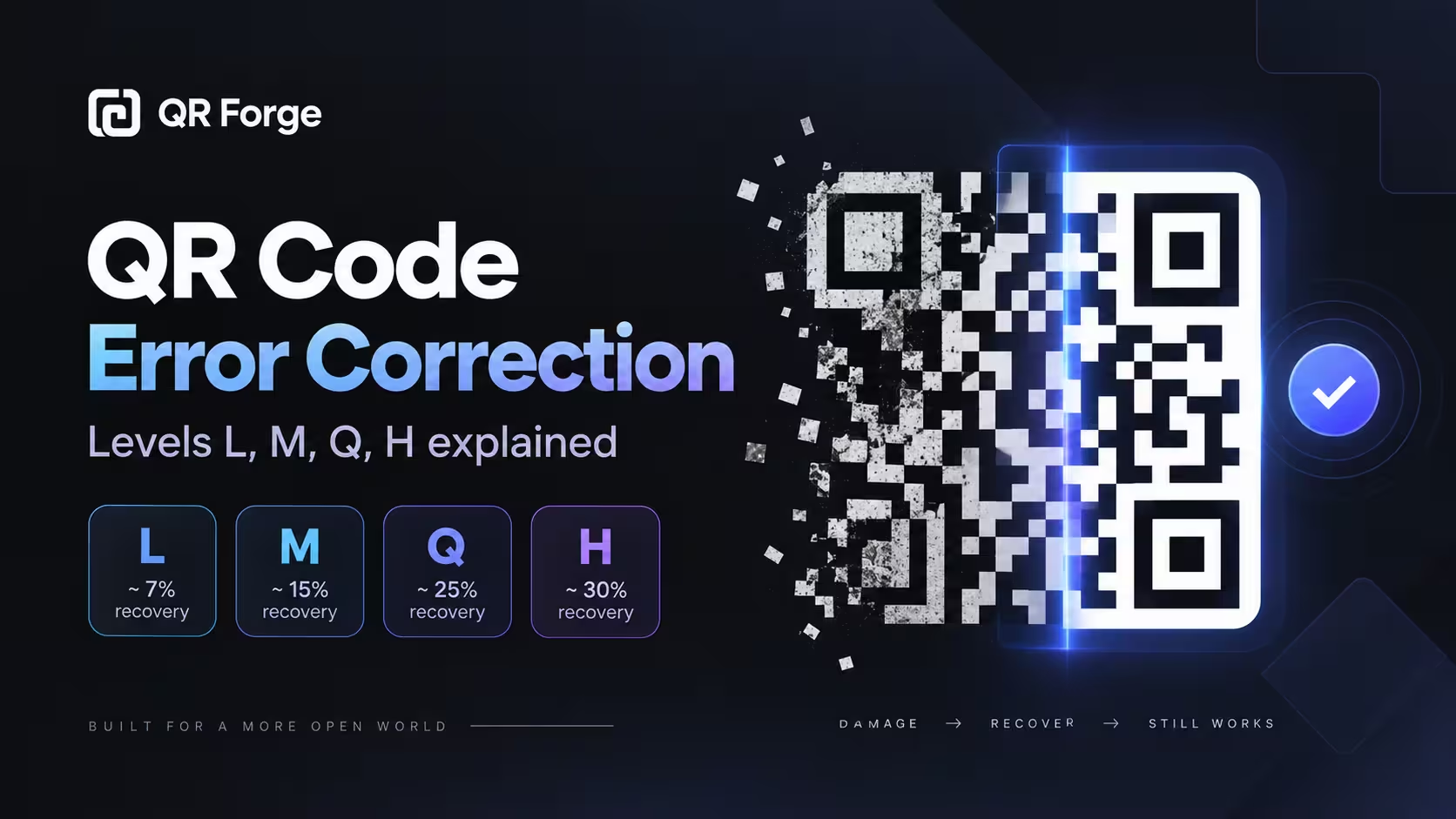
QR codes are surprisingly resilient.
A printed code can sometimes still scan even when part of it is scratched, covered, faded, or damaged. That is possible because QR codes include error correction: additional information that helps a scanner reconstruct missing or unreadable parts of the code.
QR codes support four standard error correction levels: L, M, Q, and H.
Choosing a higher level can improve damage tolerance, but it also makes the QR code denser. The best level depends on how and where the code will be used.
Create a QR code
Generate a QR code for a website, text, WiFi network, contact information, and more.
What is QR code error correction?
QR code error correction is a built-in recovery system.
It adds redundant information to the QR code so a scanner may still recover the original data even when part of the pattern cannot be read.
Why QR codes need error correction
Real-world QR codes are not always perfect.
They may be affected by:
- scratches
- dirt
- faded ink
- glare
- small obstructions
- printing defects
- folds
- surface wear
- logos placed in the center
Error correction provides some tolerance for these problems.
It does not repair the physical image
The QR code itself is not being physically repaired.
Instead, the scanner uses the additional encoded information to reconstruct data that could not be read directly.
Error correction helps a QR code recover from limited missing or damaged areas, but it does not replace good size, contrast, print quality, or testing.
How QR code error correction works
QR codes use mathematical error-correction data alongside the original content.
Original data
The QR code first contains the information you want to encode, such as:
https://example.com
Redundant recovery data
Additional codewords are generated and stored in the QR pattern.
If some parts become unreadable, the scanner can use the remaining information and recovery data to reconstruct the missing pieces.
Reed-Solomon error correction
QR codes use Reed-Solomon error correction.
This family of error-correcting codes is designed to recover data when part of the encoded symbol is missing or corrupted.
You do not need to understand the mathematics to choose a practical error correction level.
The four QR code error correction levels
QR codes provide four standard levels:
- L
- M
- Q
- H
Each level allocates a different amount of capacity to recovery data.
Level L: Low error correction
Level L uses the least error correction.
It provides roughly 7% recovery capability under idealized QR damage assumptions.
Advantages
Level L can produce a less dense code because less space is used for recovery information.
This can be useful when:
- the data is relatively long
- the code must remain compact
- the environment is clean
- there is little risk of damage
- no large logo will cover the pattern
Limitations
It has the lowest tolerance for damage among the four levels.
For printed materials exposed to wear or obstruction, a higher level may be safer.
Level M: Medium error correction
Level M provides roughly 15% recovery capability.
It is a practical default for many general QR code uses.
Good use cases
Level M can work well for:
- website QR codes
- business cards
- flyers
- office documents
- menus
- indoor signs
- digital screens
Why M is a common balance
It adds more recovery capability than L without making the code as dense as Q or H.
For many normal situations, that balance is useful.
Level Q: Quartile error correction
Level Q provides roughly 25% recovery capability.
It allocates more of the QR code to recovery data.
When Q can help
Consider Q when:
- the QR code may experience moderate wear
- the print surface is not ideal
- a logo occupies part of the center
- packaging may be scratched
- the code will be handled frequently
Trade-off
The pattern may become denser or require a larger QR version for the same payload.
This means the printed code may need more physical space.
Level H: High error correction
Level H provides roughly 30% recovery capability.
It is the highest standard QR error correction level.
When H is useful
Level H can be useful when:
- a central logo covers part of the pattern
- the QR code may experience physical damage
- packaging is exposed to wear
- labels may become dirty
- additional recovery margin is important
Higher is not always better
H adds more recovery data, which can increase density.
If the code becomes too dense and is then printed very small, the higher level may not improve the real scanning experience.
QR code error correction levels compared
| Level | Approx. recovery | Density impact | Typical use |
|---|---|---|---|
| L | ~7% | Lowest | Clean environments, compact codes |
| M | ~15% | Moderate | General-purpose QR codes |
| Q | ~25% | Higher | Packaging, logos, moderate wear |
| H | ~30% | Highest | Logos, higher damage tolerance |
These percentages are practical approximations
The commonly quoted percentages describe approximate restoration capability, not a guarantee that exactly that percentage of any QR image can be destroyed.
Damage location and type matter.
Does higher error correction make a QR code bigger?
It can.
The QR code must store both the original data and the error-correction information.
More recovery data uses capacity
Moving from L to H means more capacity is reserved for error correction.
The QR version may increase
If the same payload no longer fits at the current QR version, the generator may need a larger matrix with more modules.
More modules mean more visual density
If you print a dense QR code at the same physical size, each individual module becomes smaller.
That can make the code harder to reproduce cleanly.
Does error correction make scanning easier?
Not automatically.
Error correction and scanability are related, but they solve different problems.
Error correction helps damaged data
It is useful when parts of the QR pattern cannot be read.
Scanability also depends on design
A QR code may still fail because of:
- very small size
- weak contrast
- missing quiet zone
- blur
- glare
- distortion
- poor camera focus
- extreme viewing distance
Higher correction cannot fix everything
An H-level QR code printed too small may scan worse than a properly sized M-level code.
For scanning problems, see why a QR code is not scanning.
Which error correction level should you choose?
There is no single best level for every situation.
Use L when
Consider L when:
- the environment is controlled
- space is limited
- the code is digitally displayed
- no logo covers the code
- damage risk is low
Use M when
M is a good general-purpose choice for:
- normal print
- business cards
- flyers
- websites
- office materials
- indoor signs
Use Q when
Consider Q for:
- packaging
- labels
- frequent handling
- moderate logo coverage
- materials exposed to wear
Use H when
Consider H for:
- stronger logo integration
- higher damage tolerance
- difficult physical environments
- codes likely to be partially obscured
Error correction and QR code logos
Logos are one of the most common reasons to consider higher error correction.
A logo covers QR modules
When a logo is placed in the middle of a QR code, some encoded modules are hidden.
Error correction may allow the scanner to reconstruct them.
Higher levels provide more margin
Q or H can provide more tolerance for central logo coverage.
Do not rely on error correction alone
A logo can still break a QR code if it is:
- too large
- placed over finder patterns
- surrounded by poor contrast
- combined with a very dense code
- placed on a QR code that is too small
Always test the final version
Test the QR code after the logo has been applied, not only before customization.
How large can a QR code logo be?
There is no universal safe percentage that works for every QR code.
Why there is no fixed number
The result depends on:
- QR version
- error correction level
- payload length
- logo position
- logo shape
- surrounding contrast
- scanner quality
Keep logos conservative
A smaller centered logo is generally safer than a large one.
Protect finder patterns
Never cover the three large finder patterns in the corners.
Test aggressively
Scan on multiple devices before publishing.
Error correction and QR code size
Higher error correction may require more modules.
That makes physical size more important.
More modules need enough pixels
Each module should remain clearly distinguishable.
Printing too small creates risk
If an H-level code becomes very dense and is printed tiny, the printer may blur neighboring modules together.
Increase physical size when needed
Dense QR codes often benefit from being printed larger.
See the QR code size guide for practical size guidance.
Error correction and long URLs
Long URLs create more data.
More data increases density
A long URL may require a larger QR version.
Higher correction adds more data overhead
Using H with a long URL can produce a much denser QR code than using M with a short URL.
Prefer clean URLs
Remove unnecessary parameters when they are not required.
Use a stable, concise destination where possible.
Error correction for business cards
Business cards have limited physical space.
M is often practical
For a clean QR code without heavy customization, M is usually a reasonable starting point.
Logos may justify Q or H
If a branded logo covers part of the code, additional correction can provide more recovery margin.
Size still matters
Do not compensate for a tiny QR code by simply increasing the error correction level.
A physically readable size is still essential.
Error correction for posters and flyers
Posters and flyers face different risks.
Flyers
Flyers are often handled, folded, or carried.
M or Q can provide useful tolerance depending on the design.
Posters
Posters may be viewed from farther away.
The primary concern is often physical size and distance rather than damage alone.
Outdoor materials
Outdoor exposure may introduce fading, scratches, dirt, and weather.
Higher correction may help, but durable printing and protection remain important.
Error correction for packaging
Packaging is a strong use case for thoughtful error correction.
Packaging can be damaged
Products may experience:
- scratches
- bending
- moisture
- abrasion
- labels over seams
- surface deformation
Q or H may provide extra resilience
Higher levels can help when part of the QR code may become unreadable.
Surface placement matters
Do not place the code across folds, seams, sharp curves, tear lines, or reflective areas.
Good placement is more important than relying on correction alone.
Error correction for digital QR codes
Digital QR codes are usually protected from physical damage.
Lower damage risk
A QR code displayed on a website, app, or presentation is not scratched or faded.
M is often enough
A moderate level is usually practical for general digital use.
Screen issues still exist
Scanning may still be affected by low brightness, reflections, display scaling, low resolution, or insufficient on-screen size.
Error correction and damaged QR codes
Error correction can recover some damaged codes.
Damage location matters
Damage to ordinary data modules may be recoverable.
Finder pattern damage is more serious
The three large corner patterns help scanners locate and orient the QR code.
Severe damage to these areas can make recognition difficult before error correction is even used.
Quiet zone damage also matters
If the empty margin disappears into a busy background, the scanner may fail to identify the symbol.
Can you deliberately cover part of a QR code?
You can, but doing so adds risk.
Logos are controlled obstruction
A central logo intentionally hides some modules.
Decorative overlays can go too far
Do not assume that a high error correction level makes it safe to cover large areas.
Test every design variation
Different payloads produce different patterns.
A logo design that works on one QR code may not behave identically on another.
Error correction does not fix poor contrast
A QR code needs a clear visual difference between dark and light modules.
Low contrast affects the entire symbol
If the scanner cannot reliably distinguish modules, recovery data may not be enough.
Use dark on light
Black on white remains the safest option.
Dark brand colors can work on a light background when tested.
Error correction does not replace the quiet zone
The quiet zone is the clear margin around the QR code.
Scanner detection happens first
The camera needs to recognize the QR code before it can decode and apply error correction.
Keep surrounding graphics away
Text, borders, icons, or patterns should not touch the QR modules.
Error correction does not fix blur
Blur can make many modules ambiguous at once.
Common causes
- low-resolution exports
- screenshots
- aggressive compression
- poor printing
- scaling small images upward
Use clean exports
PNG and SVG are generally practical choices for preserving sharp QR edges.
Error correction and static vs dynamic QR codes
Both static and dynamic QR codes can use error correction.
Error correction is about the QR symbol
It deals with recovering encoded data from the visual pattern.
Static vs dynamic is about destination architecture
A static QR code stores final data directly.
A dynamic QR code usually stores a redirect URL.
These are separate concepts.
Read static vs dynamic QR codes for the architectural differences.
Can you change error correction after printing?
No.
Changing the error correction level changes how the QR code is encoded.
A new level means a new QR pattern
If you switch from M to H, generate a new QR code.
Printed codes cannot update themselves
The original image remains exactly as printed.
Choose before mass production
Test the intended error correction level before ordering large print runs.
How to test the error correction level
The goal is not to deliberately destroy every QR code.
Instead, test the finished design under realistic conditions.
Test multiple devices
Use both iPhone and Android when possible.
Test the final size
Scan the QR code at the actual dimensions.
Test the final material
For packaging, test on the package.
For business cards, test the printed card.
Test typical lighting
Include bright, dim, and reflective conditions where relevant.
Test after adding a logo
Do not assume the logo is safe simply because error correction is set to H.
Common error correction mistakes
Always choosing H
More error correction is not automatically better.
The denser pattern can create its own scanning challenges.
Using L with a large logo
A low correction level leaves less recovery margin.
Printing a dense QR code too small
High correction plus long content can create very small modules.
Ignoring physical damage risk
A clean office poster and an outdoor product label have different needs.
Assuming error correction guarantees scanning
It does not.
Good QR design still matters.
Practical error correction recommendations
Use these as starting points, not absolute rules.
| Situation | Starting level |
|---|---|
| Simple digital QR code | M |
| Business card without logo | M |
| Flyer | M |
| Poster | M |
| QR code with small logo | Q |
| Packaging | Q |
| Higher damage risk | Q or H |
| Larger central logo | H with careful testing |
Test before finalizing
The correct level is the one that works reliably in the real environment without creating unnecessary density.
QR code error correction checklist
Before generation
- know the intended use
- estimate damage risk
- know whether a logo will be added
- keep the payload concise
During design
- choose L, M, Q, or H intentionally
- preserve the quiet zone
- keep strong contrast
- protect finder patterns
- keep logos conservative
Before publishing
- scan the final image
- test multiple phones
- test the actual print size
- test the real material
- verify the destination
- retest after every design change
What is the best QR code error correction level?
For many everyday QR codes, M is a practical default.
It offers a useful balance between recovery capability and QR density.
Use Q or H when there is a clear reason, such as logo coverage, packaging, or increased risk of partial damage.
Use L when compactness matters and the environment is controlled.
The goal is not to select the highest level. The goal is to select enough recovery capability while keeping the QR code easy to scan.
QR code error correction: final answer
QR code error correction adds redundant information that can help reconstruct data when part of the QR code is unreadable.
The four standard levels are:
- L — about 7% recovery
- M — about 15%
- Q — about 25%
- H — about 30%
Higher levels provide more recovery capability but also use more capacity and can create denser QR patterns.
For most normal uses, M is a strong starting point. Move to Q or H when your design or environment genuinely needs extra tolerance, and always test the final QR code in the exact form people will scan.
Create a reliable QR code
Generate a QR code in your browser and test the final design before using it in print or digital materials.