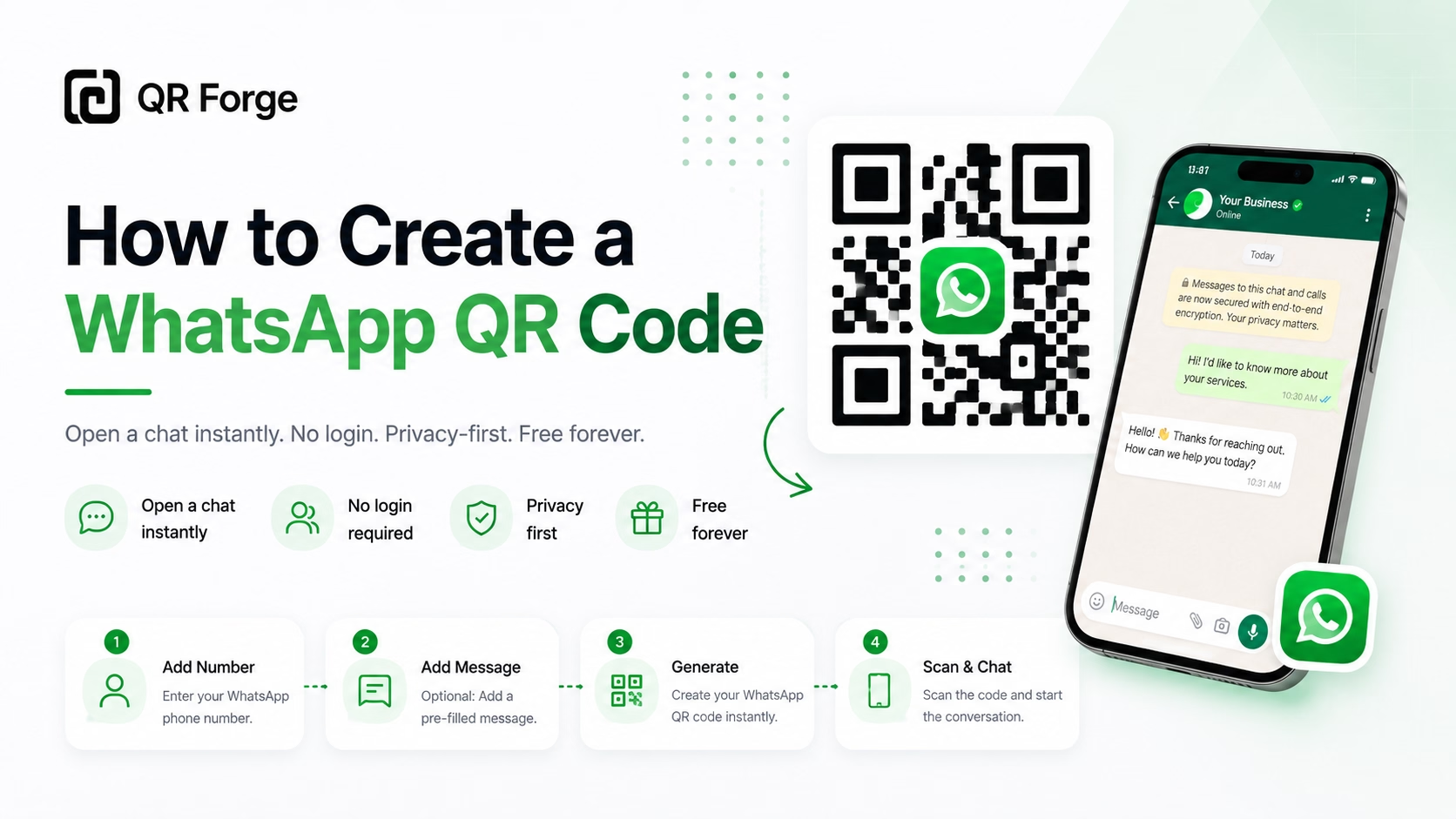
A WhatsApp QR code encodes a click-to-chat link for a phone number. A compatible scanner may offer to open WhatsApp or WhatsApp Web; if the link includes a pre-filled message, it remains a draft for the person to review. Scanning does not send the message automatically.
This guide shows how to create the link-based QR code in QR Forge, enter a usable number, test the result, and choose where to display it.
Create a WhatsApp QR code
Generate a WhatsApp chat QR code with an optional pre-filled message.
What the QR code contains
QR Forge encodes a wa.me link rather than sending a message or hosting a WhatsApp conversation. A link without a message looks like:
https://wa.me/12345678900
Link to a number
The number in the path is written as international digits with no spaces, brackets, or plus sign. For the account you want to reach, verify the country calling code and the rest of the number before generating the QR; a small digit error can direct someone to another person or to an inactive account.
Add a pre-filled message
With an optional message, the URL includes a text query parameter, for example:
https://wa.me/12345678900?text=Hello%2C%20I%20have%20a%20question
The message text is URL-encoded so spaces and punctuation can travel in the link. The person scanning still reviews, changes, or discards the draft and must send it in WhatsApp themselves. QR Forge does not verify that a number has an active WhatsApp account.
Create a WhatsApp QR code in QR Forge
1. Enter the WhatsApp number
Open the WhatsApp QR Code Generator and enter the number with its country calling code. The field accepts a number containing 7–15 digits and common separators such as spaces, parentheses, periods, or hyphens; QR Forge removes non-digits when it builds the wa.me path. That formatting step does not check whether the country code or account is correct, so verify the final number with its owner.
For example, +1 234 567 8900 becomes the digits-only path 12345678900. Follow WhatsApp's international number conventions for the country; do not assume a local-format number will be corrected automatically.
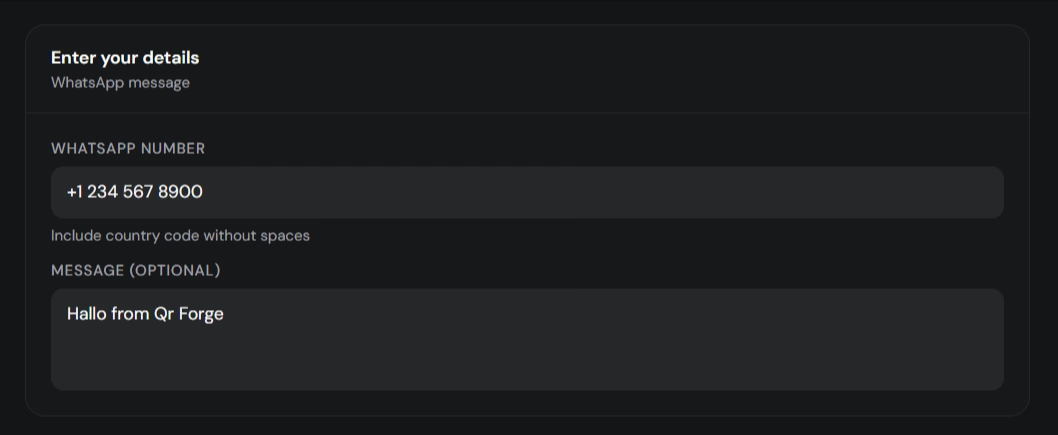
Enter the international phone number for the account people should contact.
2. Add an optional pre-filled message
Use the optional Message field if it saves the scanner a first typing step. For example, a product display might use “Hello, I have a question about this item.” Keep it brief and relevant to where the code appears. Avoid inserting personal or sensitive details that the recipient should not receive as a draft.
After scanning, the text is not sent automatically. The person can review or edit it and then decide whether to send it. This distinction matters for customer support, booking requests, and any message that could be mistaken for an automatic submission.
3. Customize the code and review settings
The generator includes Style, Frame, Logo, Size & QR, Templates, Batch, and Tools panels. In Size & QR, you can set the output size, margin, error correction, and print options. The example screenshot shows High error correction (H). This setting can help with limited damage to modules; it does not make a distorted or heavily covered code universally scannable.
Use strong contrast and keep the quiet zone clear. If you add a logo or frame, inspect the full design and test the final export on real devices before printing.
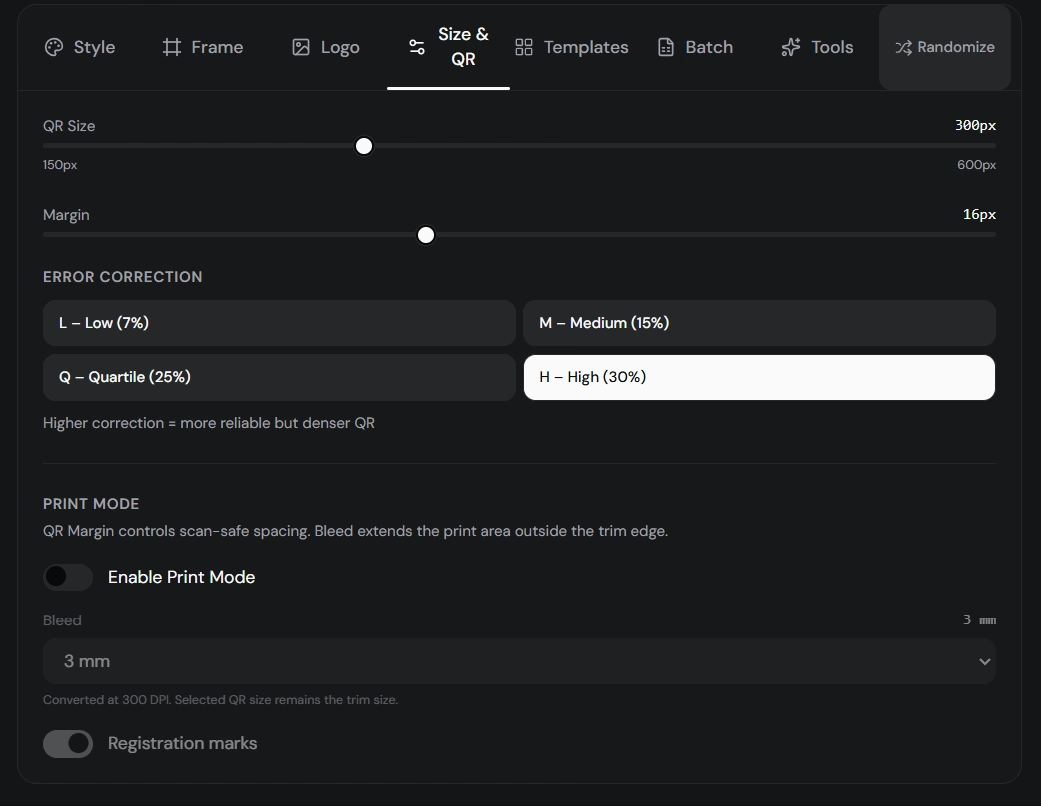
Adjust print and QR settings, then check the complete design after adding decorative elements.
4. Verify the link and download
In Live Preview, check the number and any encoded message shown below the QR. Confirm that the digits-only wa.me path is the intended account and that punctuation in the draft appears correctly. Then choose an export format and size and download the code.
The existing preview screenshot illustrates a wa.me link with a pre-filled message. Its interface wording may predate the current scanability guidance; treat it as a view of the workflow, not a guarantee that any design scans in every condition.
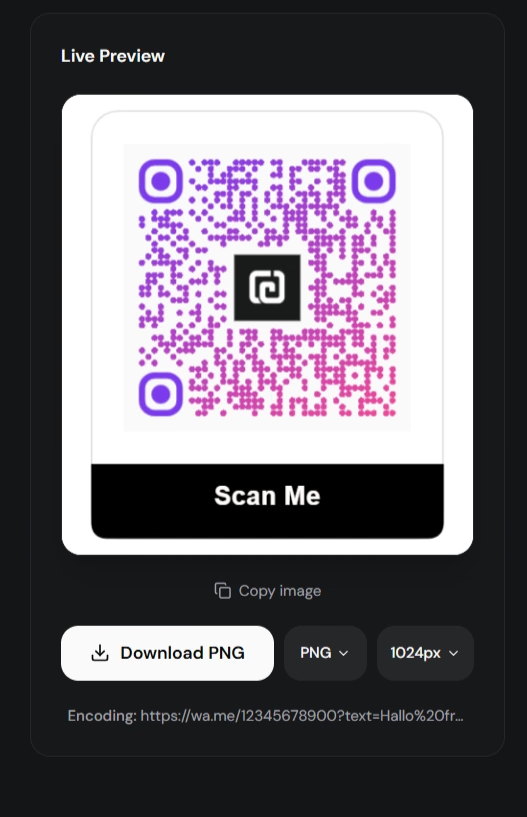
Check the final chat-link destination and draft text before exporting.
5. Test the exported QR code
Scan the downloaded image with a phone that is not already open to the target chat. Check that the expected number appears, the message is only pre-filled, and the link opens in an available WhatsApp app or web client. If possible, test on both iPhone and Android because scanners, browsers, and installed apps can behave differently.
For print, test a proof at the intended size and distance, on the final material. A QR code can be read correctly while the number is wrong or the recipient account is inactive, so confirm both the QR pattern and the destination.
Choose a number and message carefully
Confirm the international number
Use the country calling code and the number format WhatsApp expects for that country. QR Forge permits common formatting characters in the field, then removes non-digits to form the wa.me path; it does not repair an incorrect national prefix, infer the country, or check account ownership. Open the generated link yourself and confirm it reaches the right account before distributing the image.
Choose an account someone monitors
Use a number that the intended person or team actively monitors. A QR code on a business card, product package, or storefront can stay in circulation for a long time; changing the WhatsApp number later means making and distributing a replacement static QR code. If messages go to a business, choose an account with a response process rather than an unattended personal number. Tell people what kind of reply to expect and avoid promising a response time you cannot meet.
Keep a pre-filled message natural and specific. “Hello, I have a question about the menu” is more useful than a long script. It should provide context without implying that an order, booking, or support request is complete before the scanner presses Send.
Where to use a WhatsApp QR code
Use the code where starting a conversation is the intended next action. The call to action should tell people which number or team they are about to contact and what they can ask.
Support and product packaging
A code on packaging or a receipt can help customers ask about setup, delivery, or a product question without searching for a support number. Keep the printed code close to the support instruction and use a monitored account; do not invite people to send sensitive information in a public pre-filled message.
Bookings, menus, and storefronts
A salon, restaurant, or local service might use a short “Scan to ask about a booking” prompt. If the QR appears on a menu or offer, the draft message can mention the relevant item or promotion, but the person still needs to review details and send it. Check that someone will answer during the hours implied by the sign.
Business cards and social graphics
A business card can offer a direct contact path after an introduction. For a social graphic or PDF viewed on the same phone, also include a clickable WhatsApp link; people cannot reliably scan a code displayed on the device they are using.
WhatsApp QR is different from other contact actions: an SMS QR Code prepares a text message in the phone’s messaging app, a Phone QR Code can offer to dial a number, and a vCard QR Code carries contact details. Choose the type that matches what the scanner should do.
Troubleshoot a WhatsApp QR code
The link opens the wrong chat
Read the number under the preview and compare it digit by digit with the intended international number. Formatting characters are removed, but QR Forge does not validate account ownership or correct a wrong country code. Test with the recipient before printing a batch.
WhatsApp does not open
Try opening the wa.me link in a browser, check that WhatsApp or WhatsApp Web is available, and test another device or scanner. The handoff depends on the browser, operating system, scanner, and installed apps; QR Forge cannot force a particular app to open.
The number has no WhatsApp account
Confirm the number with the recipient. QR Forge checks that the input resembles a phone number with 7–15 digits; it does not check whether WhatsApp has an account for it or whether the account is active.
The pre-filled message looks wrong
Edit the Message field, then check the encoded link and scan again. QR Forge URL-encodes the message; the link can look different from the readable text because spaces and punctuation are represented as encoded characters. The app should display the readable draft for review.
Scanning is unreliable
Increase size for the expected scanning distance, improve contrast, preserve the quiet zone, and reduce decoration or logo coverage. Test the final physical print, not just the preview. If the design still fails, try a plain high-contrast export to determine whether the styling is the cause.
The printed code is out of date
A static code still contains the number and message originally encoded. Create and redistribute a new code if either needs to change; updating the WhatsApp profile or changing the account does not rewrite existing QR images.
Static links, tracking, and privacy
QR Forge makes a static QR code containing the wa.me link; it does not provide scan counts or a QR Forge redirect that can later change the number. A separate redirect or campaign landing page can add tracking or destination control, but it introduces another service and changes what the QR code directly contains. If scan analytics are necessary, understand what that intermediary records and keep a direct link available for people who do not want to use it.
QR payload construction happens in your browser, not on a QR Forge application server. The number and optional message are still part of the QR link and can be read by anyone who scans or decodes the image. If you explicitly save the design, its payload may remain in this browser's local storage. Website analytics and advertising are separate services; see the Privacy Policy.
Create a free WhatsApp QR code
Generate a WhatsApp click-to-chat QR code with a number and optional pre-filled message. No login or watermark.